ProCam X Lite: HD Camera Pro is a sophisticated app for mobile photography enthusiasts. It brings professional-level tools to your smartphone, empowering you to capture stunning HD photos and videos. Whether you're a hobbyist or an experienced photographer, ProCam X Lite features intuitive controls for exposure, ISO, focus, real-time filters, and editing. Precision and creativity come together to ensure every moment is captured beautifully. Experience studio‑grade photography made convenient with ProCam X Lite—where innovation meets everyday creativity.
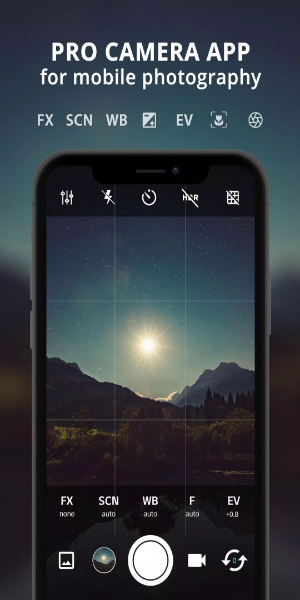
Features
- Exposure Control: Take full control of your shots by locking or manually setting exposure. Achieve the ideal balance of light and shadow in any scene for perfectly exposed images.
- White Balance Control: Adjust white balance to match your lighting environment accurately. Keep colors true to life whether you’re shooting indoors or under natural daylight.
- Manual ISO: On camera2api‑enabled devices, manually set ISO to manage sensor sensitivity. Reduce noise and capture sharp, clear photos even in low‑light conditions.
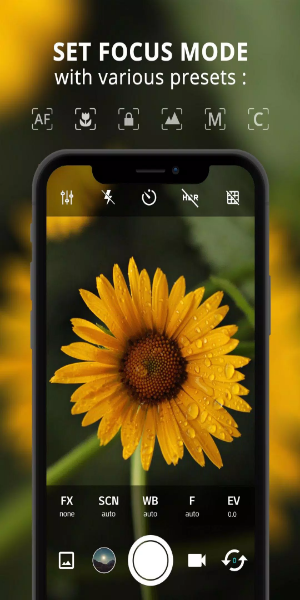
- Manual Focus: Enabled via camera2api support, use manual focus for pinpoint sharpness. Take charge of your focal point and achieve professional‑level clarity.
- Manual Shutter Speed: On compatible devices, manually adjust shutter speed to control exposure time. Perfect for freezing fast motion or adding artistic blur.
- Intervalometer: Automate interval shooting for stunning time‑lapse and stop‑motion videos. Set the delay between shots to show gradual changes.
- Burst Shooting Mode: Capture rapid‑fire shots to never miss a moment. Ideal for action scenes and spontaneous expressions.
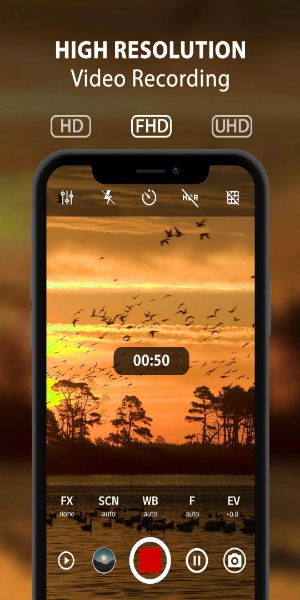
- Custom Video Bit Rate: Adjust video bit rate to balance quality and file size. Record crisp, clear video with minimal compression artifacts.
- Real-time Filters/Color Effects: Apply live filters and color effects to transform your look instantly. Experiment with styles and moods to add artistic flair.
- Geotagging: Automatically tag photos with location data. Organize and remember exactly where each memory was captured.
- Anti Shake: Minimize blur from camera shake for sharper results. Enhance image stability, especially in challenging conditions or at high zoom.

How to Use
1. Installation and Setup:
- Download ProCam X Lite from the Google Play Store and install it.
- Open the app and allow required permissions, such as camera and storage access.
2. Navigating the Interface:
- Get comfortable with the intuitive layout, including controls for exposure, ISO, shutter speed, and white balance.
- Explore more options like live filters, grid overlays, and geotagging settings.
3. Setting up Manual Controls:
- On supported devices with camera2api, activate manual controls for ISO, focus, and shutter speed.
- Fine‑tune these settings for exact exposure, sharp focus, and creative motion effects.
4. Exploring Shooting Modes:
- Try different modes like Burst Mode for quick consecutive shots.
- Use the Intervalometer to create time‑lapse or stop‑motion videos with adjustable intervals.
5. Enhancing Creativity with Filters:
- Apply real‑time filters and color effects to instantly change the look of your photos and videos.
- Customize the style to match your creative vision.
6. Utilizing Geotagging:
- Turn on geotagging to embed location info automatically in your photos.
- Keep track of shooting locations and organize your gallery by place.
7. Optimizing Video Recording:
- Adjust video resolution and bitrate to balance quality and storage usage.
- Record high‑definition video with optional audio to capture memorable moments.
8. Managing Preferences and Settings:
- Customize app preferences—like muting the shutter sound or using volume keys for quick snaps.
- Explore extra features such as anti‑shake for steadier shots and better image stability.
9. Reviewing and Sharing:
- Preview photos and videos in the app before saving or sharing them.
- Share your work directly from ProCam X Lite to social media or cloud storage.
10. Continuous Learning and Experimentation:
- Keep exploring updates and new features in ProCam X Lite.
- Experiment with different photography techniques and settings to grow your skills and creativity.
By following these steps, you can fully leverage ProCam X Lite: HD Camera Pro to take professional‑quality photos and videos on your Android device, elevating your mobile photography experience.
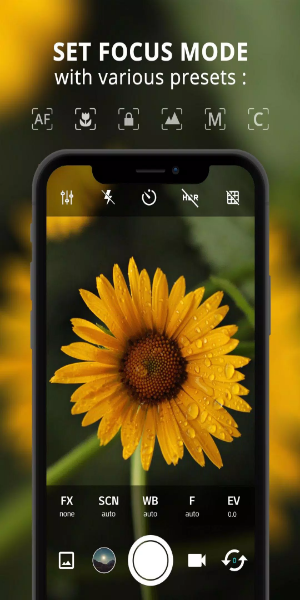
Conclusion:
ProCam X Lite: HD Camera Pro is a versatile and powerful mobile photography companion. With its wide range of advanced tools—from manual exposure, ISO, and focus controls to live filters and geotagging—it provides everything beginners and experts need to capture impressive photos and videos. Whether you're refining your skills or exploring creative effects, ProCam X Lite offers a smooth, intuitive experience. Step into professional‑level photography right from your smartphone and unlock endless possibilities in visual storytelling with ProCam X Lite: HD Camera Pro.



 Download
 Application Description
  Apps like ProCam X ( HD Camera Pro )