The Snappet Pupil App is a dedicated educational platform designed to enrich the learning experience for elementary and middle school students. As technology becomes increasingly central to education, Snappet emerges as a key innovation, offering a comprehensive digital learning environment that fosters greater student engagement and boosts academic performance.
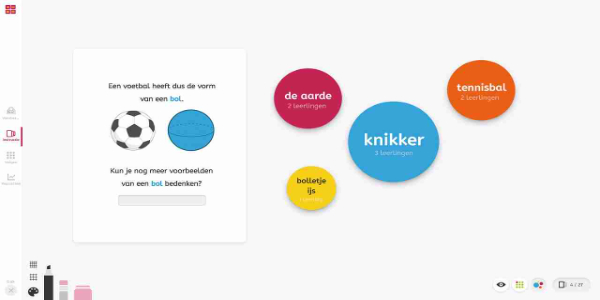
Core Features:
- Interactive Learning Modules: Students have access to a wide variety of interactive lessons tailored to different learning styles. These modules feature engaging videos, quizzes, and hands-on activities designed to capture and hold student attention.
- Real-Time Feedback System: A standout feature is the app's instant feedback capability. Students get immediate results on exercises, allowing them to quickly recognize mistakes and understand concepts more deeply.
- Progress Tracking: Educators and parents can monitor student advancement through detailed reports and analytics. This helps teachers identify where students might be struggling and provide timely, targeted support.
- Adaptive Learning Technology: The app uses adaptive technology to customize educational material according to each student's skill level. This keeps students consistently challenged at the right level, supporting continuous growth and development.
- Gamification Elements: To boost motivation, Snappet incorporates game-like features such as badges, rewards, and leaderboards. These elements encourage active participation and help students enjoy the process of improving their skills.
User Interface and Experience:
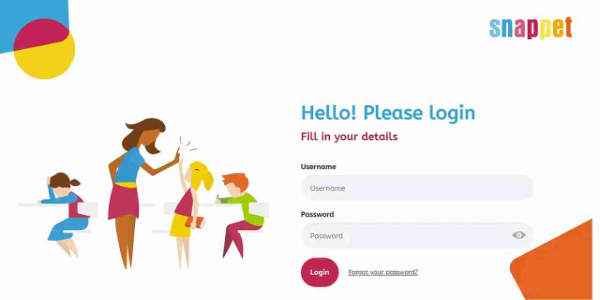
The Snappet Pupil App boasts a user-friendly interface that is easy to navigate on both computers and mobile devices. Its intuitive design features clearly marked sections and simple menus, paired with an appealing color palette that creates a positive and conducive learning environment.
- Ease of Use: Both students and teachers find the app straightforward to operate. Learning materials are well-organized, and instructions are clear, enabling users to get started without any hassle.
- Accessibility: Available on Android and iOS, the app supports a broad range of user devices. Its cross-platform compatibility ensures a seamless learning experience, no matter which device a student prefers.
- Performance: The app runs smoothly, with fast load times and little to no lag. This reliability helps maintain student focus and engagement throughout their learning sessions.
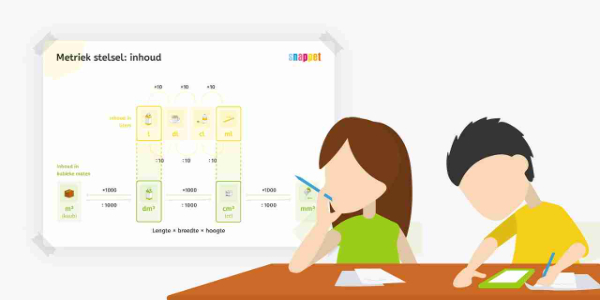
Tips for Optimizing the Snappet Pupil App's Potential:
The Snappet Pupil App provides powerful tools for navigating modern education. Here are practical strategies for teachers, parents, and students to get the most out of this innovative platform.
- Personalize Learning Paths: Use the app's tools to create customized learning journeys for each student. Set up individual profiles and adjust assignment difficulty based on their performance to ensure they stay challenged but not frustrated.
- Engage with Interactive Exercises: Motivate students to regularly use the app's interactive exercises and educational games. These resources make learning fun while solidifying core concepts in subjects like math and reading, building independent study skills that complement school lessons.
- Leverage Real-Time Feedback: Take full advantage of the instant feedback to closely track student progress. Quick assessment allows for prompt intervention and adjustment of teaching methods. It also highlights areas needing extra attention, enabling more personalized support and better results.
- Set Clear Learning Goals: Help students define specific, achievable goals within the app, whether it's mastering multiplication or improving reading fluency. Clear objectives provide motivation and direction. Use the app's tracking tools to monitor advancement and celebrate achievements.
- Integrate with Classroom Curriculum: Align the app's activities with your school curriculum. Identify classroom topics and assign related exercises on Snappet to reinforce and extend learning. This connection strengthens the link between in-person and digital education, improving concept retention.



 Download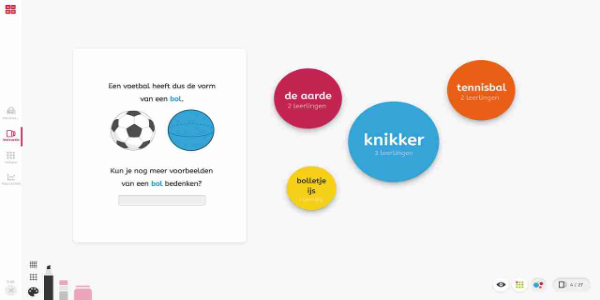
 Application Description
  Apps like Snappet Pupil