ZArchiver is an efficient file management app that specializes in handling various archive formats with ease. Featuring a clean interface, this tool simplifies archive management for both beginners and advanced users, making it an indispensable utility for organizing digital files.
Key Features:
* Intuitive Interface:
Enjoy a clutter-free design that puts essential functions at your fingertips. The straightforward layout ensures smooth navigation and quick access to all features.
* Multi-Format Support:
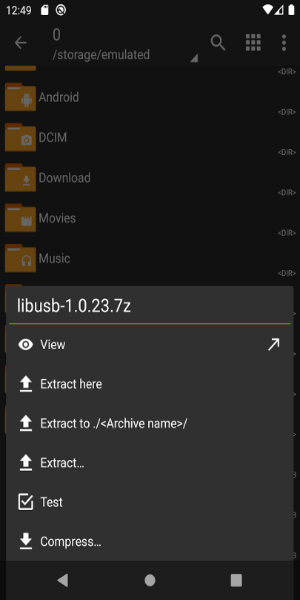
Create and extract popular archive types including 7z, zip, rar, bzip2, and gzip. The app handles all your archiving needs in one convenient package.
* Security Features:
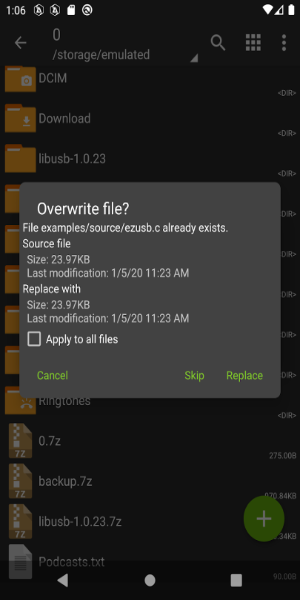
Safeguard confidential files with password protection for both creating and extracting archives, ensuring only authorized access to your sensitive data.
* Large File Management:
Easily work with multi-part archives (7z and rar) for splitting or combining large files, ideal for storage optimization and sharing.
Common Questions:
* Is there a cost to use ZArchiver?
The app is completely free to download and use from the Google Play Store with no hidden charges.
* Can I open email attachments directly?
Yes, ZArchiver integrates with email apps, allowing immediate access and extraction of archive files received in messages.
* Does it require internet access?
No internet connection is needed, and the app doesn't request internet permissions, maintaining your privacy.
Interface & Performance
Clean Design
The app's minimalist interface eliminates distractions while keeping all necessary functions easily accessible through a logical menu structure.
Quick Operations
Manage files efficiently with fast creation, extraction, and organization capabilities. Commonly used features are optimized for one-touch access.
Smart Organization
Benefit from quick-access shortcuts to frequently used directories and recent files, streamlining your workflow significantly.
Optimized Speed
Experience consistent performance across devices with fast processing times, even when handling large archive files.
Format Compatibility
Work with virtually any archive format without switching between different applications, thanks to comprehensive format support.
Help Resources
New users can access built-in guides and tips to quickly master all available features and customization options.
Recent Updates
- Improved file operation speeds
- New SUI compatibility
- Added E-Ink display theme
- Drag-and-drop functionality for files
- Various bug fixes and performance enhancements



 Download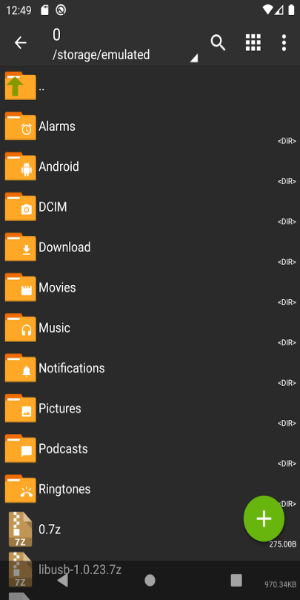
 Application Description
  Apps like ZArchiver