Quick Links
Almost all PC owners know about Steam and what it brings to the table. While PC owners know the pros and cons of Steam, some aren't aware of simple things like appearing offline. When you appear offline on Steam, you will become invisible, thus allowing you to play your favorite games without alerting your friends.
3
Whenever you log into Steam, your friends are alerted, and they also know about the game you are playing. If you choose to appear offline, you can play any game you want and even chat with friends, but you will remain invisible. If you do not know how to appear offline, this guide will illustrate how to do so — and provide other relevant information that might be useful.
Steps For Appearing Offline On Steam

Here is what you need to do to appear offline on Steam:
- Access Steam on your PC.
- Click Friends & Chat on the bottom-right side of the screen.
- Click on the arrow next to your username.
- Click Invisible.
Here is another quick way of appearing offline on Steam:
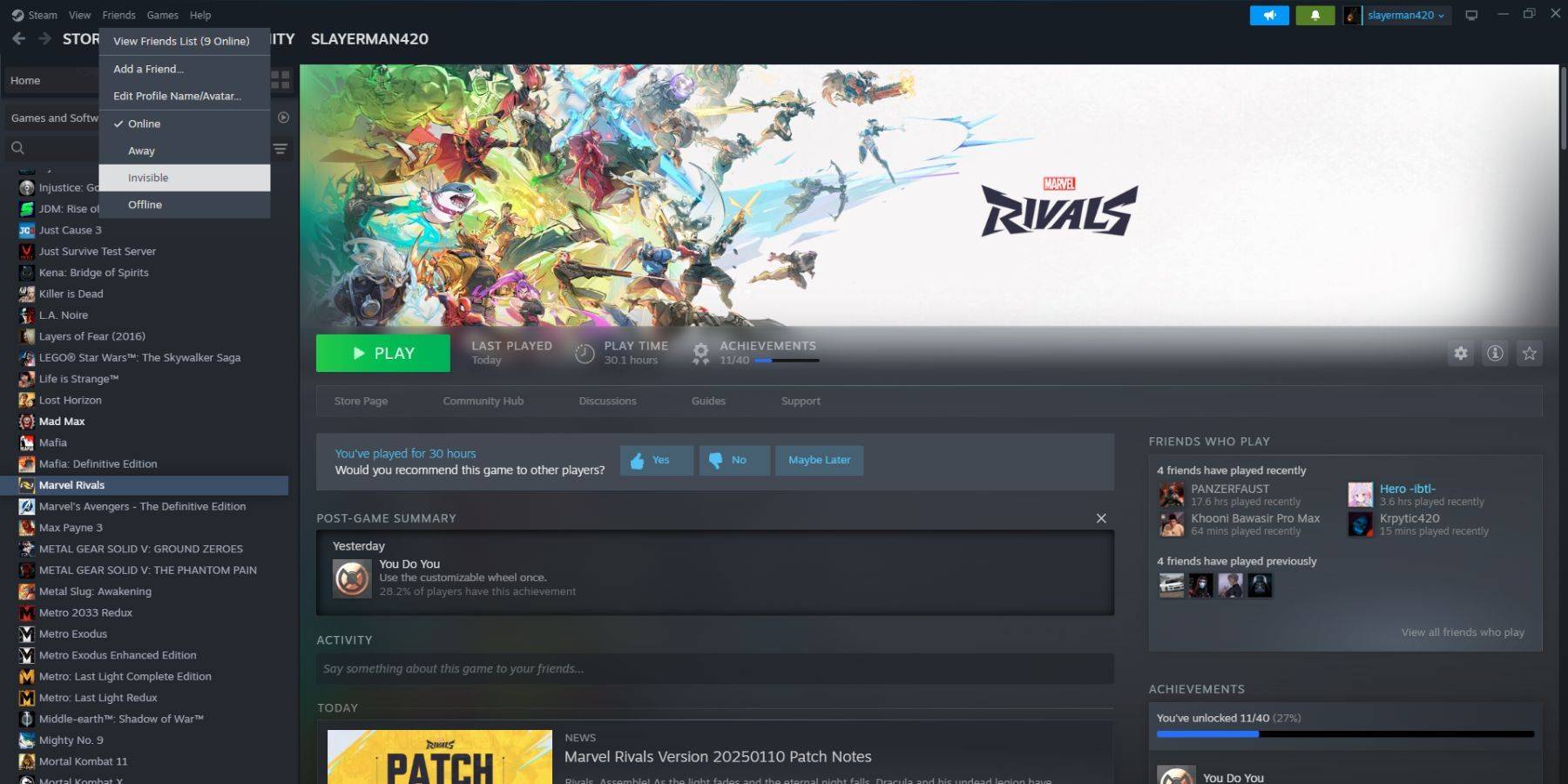
- Access Steam on your PC.
- Select Friends on the top menu bar.
- Select Invisible.
Steps For Appearing Offline On Steam Deck
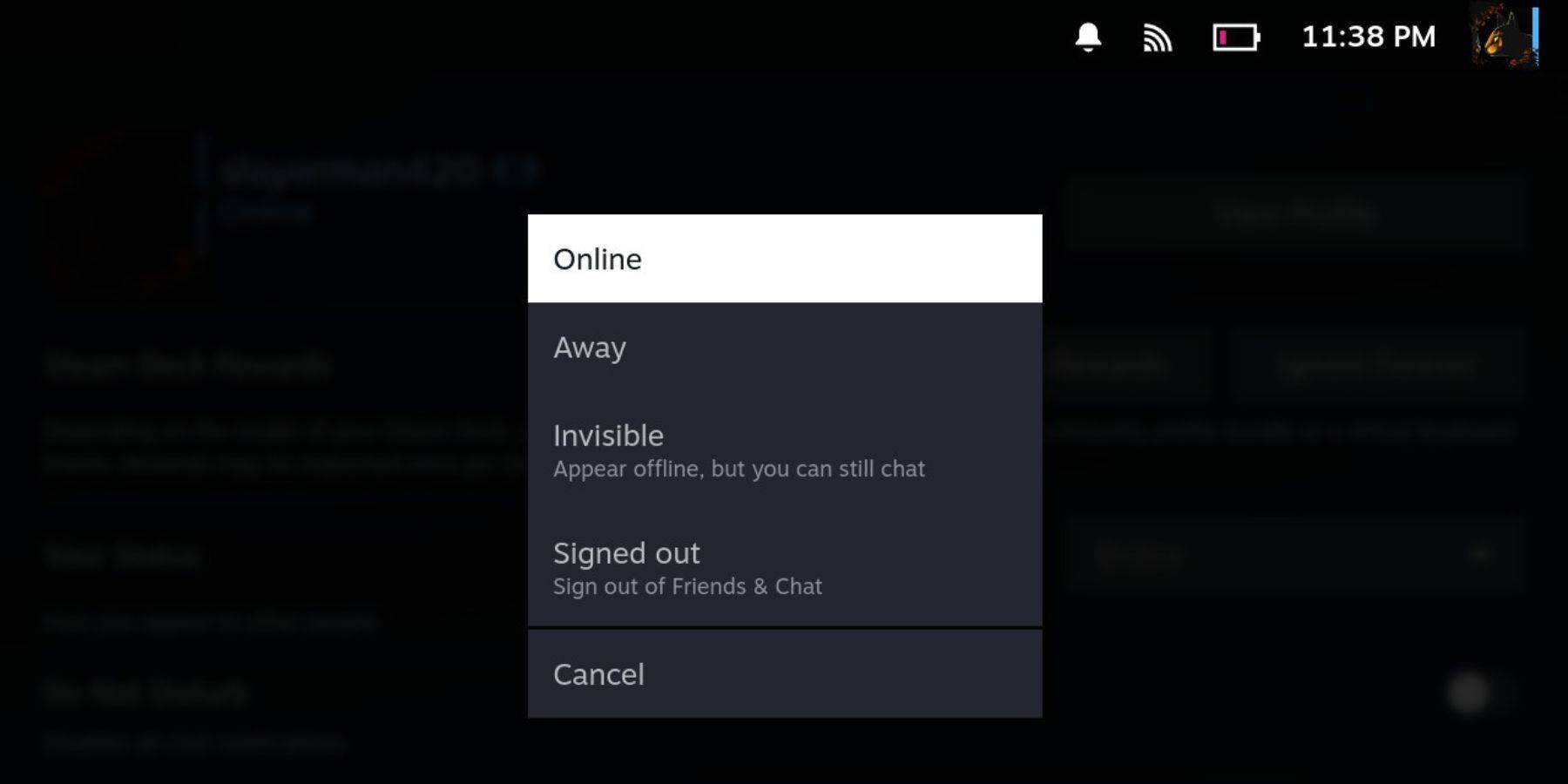
If you want to appear offline on your Steam Deck, here is what you need to do:
- Power on your Steam Deck.
- Tap your profile picture.
- Select 'Invisible' from the dropdown menu next to Your Status.
Selecting Offline will log you out of Steam completely.
Why Appear Offline On Steam?

Many Steam users may be wondering why they would want to appear offline in the first place. Here are a few reasons why you might want to appear offline:
- You can play any game without being judged by your friends.
- Some players simply want to indulge themselves in single-player games without being interrupted.
- Some people leave Steam running in the background, even while working or studying. By appearing offline, you will not have to worry about your friends inviting you to play a game, thus ensuring you remain productive.
- Streamers and content creators need immense focus while recording or live-streaming gameplay, so they can appear offline to avoid any interruptions.
That being said, now that you know how to appear offline on Steam, make the most of this information. Now, when you access Steam, you know what you need to do when you want to play your favorite game in peace.

 LATEST ARTICLES