Application Description
AI-Powered Text-to-Image MagicUnleash Your Creativity with AICreate and Share on Social MediaMultiple Art Styles and Conversion ModesCreating Artwork with MagicApp: A Step-by-Step GuideMagicApp stands at the forefront of technological advancement, reshaping creative expression through its advanced text-to-image conversion. Leveraging state-of-the-art AI, it combines natural language comprehension with visual generation, transforming written words into detailed, captivating artwork. This innovative approach enables users to push beyond conventional creative limits, unlocking endless artistic potential. By seamlessly merging language and visual art, MagicApp pioneers a new realm of creative exploration where imagination flourishes and extraordinary outcomes become achievable. Discover more in the following sections!
AI-Powered Text-to-Image Magic
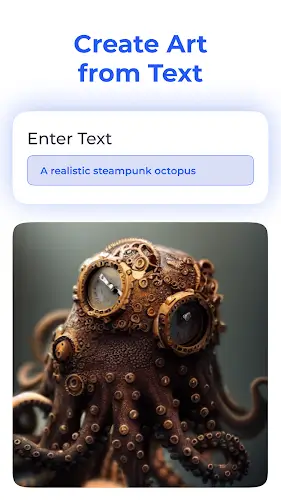
- Core Functionality: AI technology drives MagicApp's primary feature: converting text into striking visual art. This core capability forms the foundation of the app, delivering the unique value that attracts users.
- Uniqueness and Creativity: Generating artwork from text sets MagicApp apart from conventional image tools. It provides a creative outlet for users to materialize imaginative concepts effortlessly.
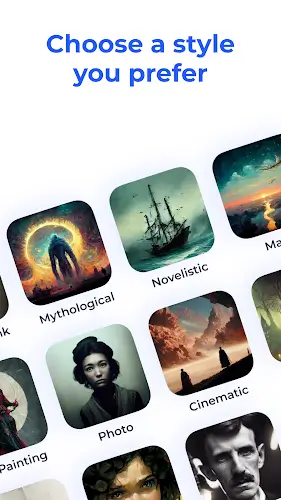
- Wide Range of Possibilities: The AI supports diverse artistic interpretations and styles, appealing to various users—whether they seek humorous visuals, breathtaking imagery, or something in between.
- Ease of Use: This feature streamlines art creation, making it approachable for users without formal artistic training. It empowers everyone to produce professional-looking designs.
- Entertainment Value: The text-to-image process is engaging and fun, motivating users to experiment with creativity and share their unique results with others.
Unleash Your Creativity with AI
MagicApp utilizes sophisticated AI, including deep neural networks and natural language processing, to convert text descriptions into high-quality artwork. The system integrates style adaptation, image synthesis, and semantic analysis to interpret user input accurately. It tailors outputs to user preferences, producing anything from awe-inspiring visuals to playful, whimsical designs. By combining convolutional neural networks (CNNs) for visual feature extraction and recurrent neural networks (RNNs) for text comprehension, the AI ensures a fluid, imaginative translation from words to images.
Create and Share on Social Media
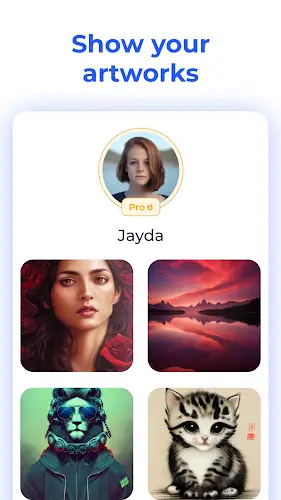
The app includes seamless social sharing features, allowing users to easily post their creations to friends, followers, and online communities. By integrating with leading social platforms via APIs, MagicApp lets you share directly to Facebook, Instagram, and Twitter. An intelligent algorithm monitors engagement and provides tips to enhance post visibility and sharing potential. Users can also create shareable links and QR codes to extend their audience beyond typical social networks, building a collaborative creative community and boosting content reach.
MagicApp features a versatile AI model that transforms text prompts into various artistic formats. This includes rendering dreams and abstract ideas via generative adversarial networks (GANs), illustrating poetic and musical themes using sequence-based models, and crafting comic-inspired graphics with character synthesis. The app integrates multiple neural architectures—such as GANs, RNNs, and convolutional LSTMs—to support a broad spectrum of artistic tastes and output styles.
Creating Artwork with MagicApp: A Step-by-Step Guide
To create your ideal artwork using MagicApp, follow these practical steps:
Use Detailed and Imaginative Descriptions:
- Provide rich, detailed text input. The AI responds better to specific and expressive language, increasing the accuracy of your envisioned output.
- Incorporate descriptive adjectives, metaphors, and sensory details to convey mood, emotion, and visual elements effectively.
- Embrace originality. Don’t shy away from unusual or unexpected ideas—innovative descriptions often yield the most unique results.
Experiment and Refine Through Iteration:
- Your first attempt may not be perfect. The AI learns and improves with repeated use.
- Test slight variations of your concept. Adjust your wording to observe how the AI responds differently each time.
- Keep refining. Multiple attempts can reveal surprising and delightful variations, allowing you to explore diverse aspects of your idea.
Explore Various Artistic Styles, Including Claude Monet:
- Take full advantage of the app’s style library. After generating a base image, apply different artistic filters to alter its appearance.
- Try the "Claude Monet" style to imbue your image with an impressionistic flair, evoking the beauty of Monet’s classic works.
- Mix and match styles for hybrid creations. Combining elements from multiple aesthetics can make your artwork distinct and personalized.
This article includes the MOD APK version with Pro features available at no cost. Download it using the link below and enjoy creating!
Entertainment



 Download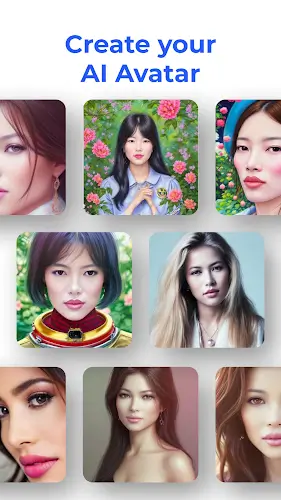
 Apps like MagicApp - AI Art Generator