Home News Construction Simulator 4: Expert Tips & Tricks

Construction Simulator 4: Expert Tips & Tricks

Nov 25,2024 Author: Thomas

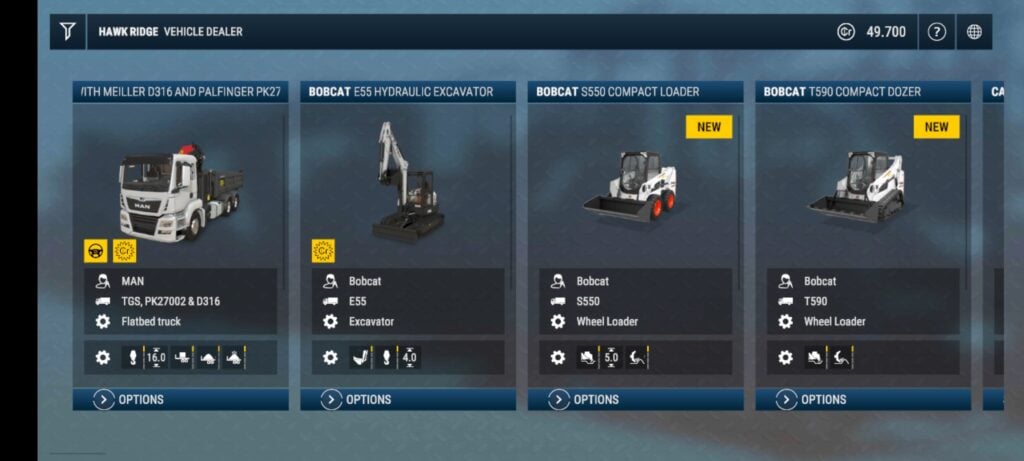
It took seven long years for Construction Simulator 4 to follow the third entry in the series, but it sure was worth the wait. It takes us to a brand new location, Pinewood Bay, which takes inspiration from the gorgeous Canadian landscape.But in terms of what you really play Construction Simulator for, the fourth entry delivers in spades. It introduces over 30 new vehicles, including a brand new construction machine altogether, and a cooperative mode that allows you to team up with friends.Those vehicles are fully-licensed, featuring machinery by CASE, Liebherr, MAN, and more. In terms of that new vehicle, it’s a concrete pump, which fans of the series have been calling for for years.And the best part is, you can now check it all out for free thanks to a ‘Lite’ variant. It costs nothing to download, and you can upgrade to the full version for a mere $5 if you end up enjoying.As the headline promised, this guide is designed to help you get started with Construction Simulator 4. Read on for a few specific tips and tricks that will have you running a top-notch construction business in no time.Give Yourself an Advantage

When you first boot up Construction Simulator 4, you can tweak a bunch of settings to help give you an early advantage, and we thoroughly recommend doing so if you’re a first time player. 
The first of these is tweaking the economic cycle. This determines the amount of time between reporting your profit and loss, so setting it to the full 90 minutes will make life easier. It gives you more time to plan your next steps and recover from a setback.
You also want to turn off traffic rules, so you don’t run the risk of picking up a fine for reckless driving. You can even make that latter feature easier by choosing Arcade Mode as your driving style of choice, as it significantly simplifies the controls.
Learn the Ropes

Our second tip: don’t skimp on the tutorial – especially when it’s as good as this one. There’s an NPC called Hape who teaches you literally every feature of the experience in fine detail. Follow his steps, and you’ll know everything you need to know.
That includes how to drive all of the vehicles and operate the company menu. This is where you can trade materials, buy entirely new construction machinery, and set waypoints.
Pick up Jobs

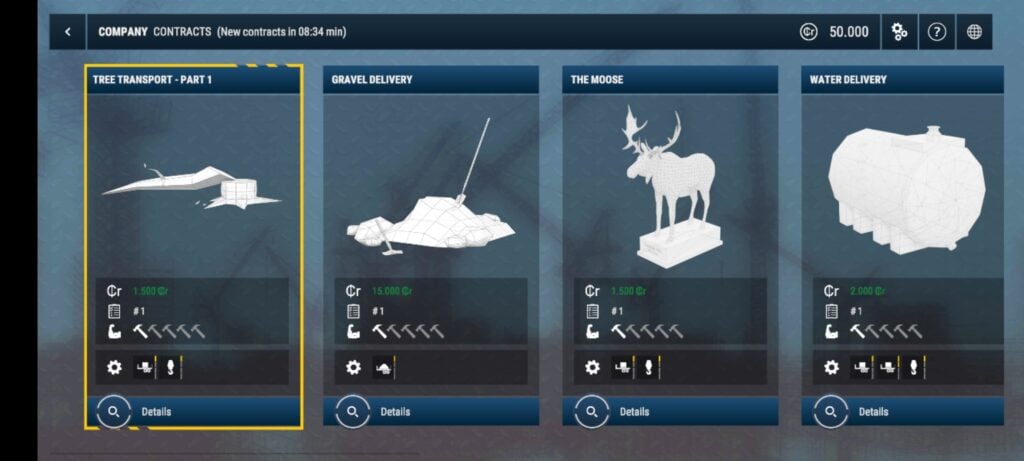
Once you’ve completed the tutorial, you’re sort of just thrown into the experience. Fortunately though, there is still some guidance in the form of the jobs system. You can find these in the company menu, and it’s where your campaign missions are housed.
You can take on optional ‘General Contracts’ too, which provide you with additional experience and cash to help you proceed in between the more challenging campaign missions.
Rank Up

To take on certain jobs and missions, you need certain vehicles and, in particular, ranks of machinery. To learn what you need, simply read the job description. You can use these to help you set goals by pursuing the machines and ranks you need to take on the next campaign mission.
You unlock new vehicles and ranks by earning a set number of experience points, which, as we’ve just went through, you can pick up in general contracts. So that’s the game, really: complete campaign missions when you can and pick up general contracts in between.
Make sure you check out Construction Simulator® 4 Lite right now from the App Store or Google Play.

LATEST ARTICLES

20

2025-12

Warhammer Skulls 2025: Dawn of War Revived, Space Marine Master Crafted Edition Revealed

The Warhammer Skulls 2025 gaming showcase concluded with major announcements. Highlights featured the return of Relic’s beloved Dawn of War real-time strategy series, a new Master Crafted Edition of t

Author: ThomasReading:0

20

2025-12

Alienware Aurora 16 5060: Prime Day Deal at $1,100

https://images.97xz.com/uploads/22/6870626a3289d.webp

During its Black Friday in July Sale, Dell has slashed the price of the new 2025 Alienware Aurora 16 gaming laptop featuring a GeForce RTX 5060 mobile GPU to just $1,099.99, including free shipping. This represents a substantial $400 savings off its

Author: ThomasReading:1

20

2025-12

What Duck: RTS Game Launches on Mobile

https://images.97xz.com/uploads/65/683e110eaed6e.webp

What Duck is an adorable 2D strategy gameLaunching soon on Android and iOS, it stars—what else? Ducks!Build towers, summon units, and defeat enemies before they destroy youFirst crabs, now ducks! Lately, it seems all sorts of animals are making their

Author: ThomasReading:1

19

2025-12

Empire Heroes launches prehistoric battles on iOS soon

https://images.97xz.com/uploads/99/683e11193c98e.webp

Command your troops through the ages, from primitive cavemen to mighty Roman legionsAdvance through history by unlocking powerful units, siege engines, and legendary generalsNow playable on Android, with iOS pre-registration currently activeFollowing

Author: ThomasReading:1